

How do I program the settings of a smart bed night light?
Programming the settings of a smart bed night light can be an insightful journey, and as a Bed Night Light [/baby-lamp/kids-light/bed-night-light.html] supplier, I'm here to guide you through this process. Smart bed night lights offer a range of features that enhance the functionality and ambiance of a room, making them a popular choice for various settings, from nurseries to adult bedrooms.
Understanding the Basics of a Smart Bed Night Light
Before diving into the programming process, it's essential to understand the basic components and functions of a smart bed night light. These lights typically come with adjustable brightness levels, color temperature options, and sometimes even color-changing capabilities. They can be controlled through a mobile app, a remote control, or voice commands, depending on the model.
The adjustable brightness is a crucial feature, as it allows you to set the right amount of light for different activities. For example, you might want a dim light for reading in bed or a brighter light when getting ready for sleep. Color temperature, on the other hand, can affect your mood and sleep quality. Warmer colors (around 2700K - 3000K) are more relaxing and can help you wind down, while cooler colors (around 5000K - 6500K) are better for tasks that require focus.
Programming via Mobile App
One of the most common ways to program a smart bed night light is through a dedicated mobile app. Most smart lights come with their own apps that can be downloaded from the App Store or Google Play.
Step 1: Download and Install the App
First, find the app that corresponds to your smart bed night light model. Once you've downloaded and installed it, open the app and create an account if required. This account will allow you to sync your light with the app and access additional features.
Step 2: Connect the Light to the App
To connect the light, make sure it is powered on and in pairing mode. This usually involves pressing a specific button on the light for a few seconds until the light starts blinking. In the app, look for the option to add a new device and follow the on - screen instructions to connect your light to your home's Wi - Fi network.
Step 3: Explore the App's Features
Once the light is connected, you'll be able to explore the app's various features. You can adjust the brightness by sliding a bar on the app's interface. To change the color temperature, look for a color temperature slider or a color wheel. Some apps also allow you to create custom lighting scenes. For example, you can create a "reading" scene with a medium brightness and warm color temperature, or a "sleep" scene with a very dim light.
Programming via Remote Control
If your smart bed night light comes with a remote control, programming it is a straightforward process.
Step 1: Familiarize Yourself with the Remote
The remote control usually has buttons for basic functions such as turning the light on and off, adjusting the brightness, and changing the color. Take a few minutes to read the user manual and understand what each button does.
Step 2: Adjust the Settings
To adjust the brightness, press the up or down arrow buttons on the remote. For color changes, there might be a color button that cycles through different colors or color modes. Some remotes also allow you to save your favorite settings, so you can quickly recall them later.
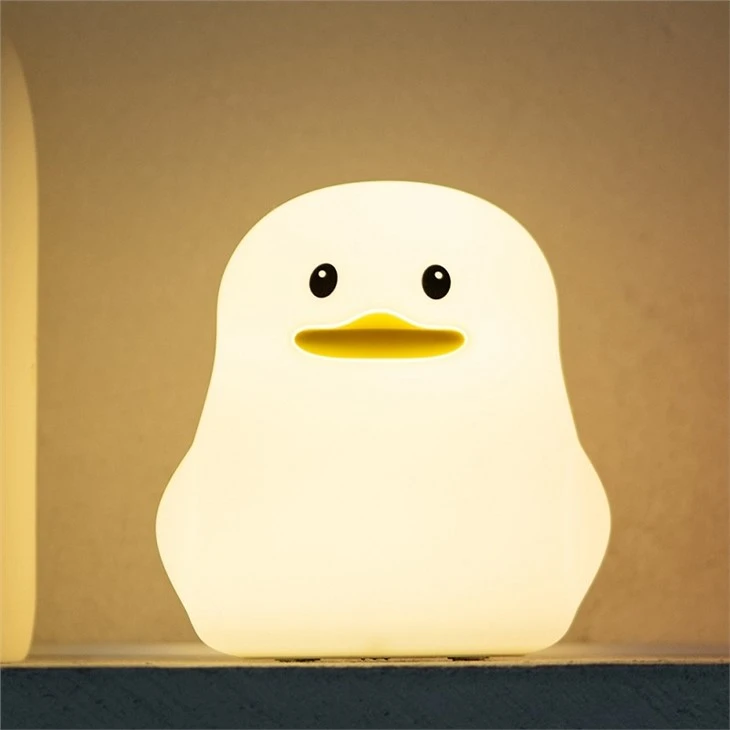

Programming via Voice Commands
Many smart bed night lights are compatible with voice assistants such as Amazon Alexa or Google Assistant. This allows you to control the light using simple voice commands.
Step 1: Set Up the Voice Assistant
If you haven't already, set up your voice assistant device (e.g., Amazon Echo or Google Home). Link your account for the voice assistant with the app of your smart bed night light. This usually involves going to the skills or services section of the voice assistant app and adding the corresponding skill for your light.
Step 2: Use Voice Commands
Once the setup is complete, you can use voice commands to control the light. For example, you can say, "Alexa, turn on the bed night light" or "Google, set the bed night light to 50% brightness."
Special Considerations for Nursery Use
When programming a smart bed night light for a nursery, there are a few additional factors to consider.
Safety First
Make sure that any programming settings you choose are safe for the baby. Avoid using extremely bright lights or flashing colors that could startle the baby.
Sleep - Friendly Settings
Program the light to have a soft, warm glow during bedtime. You can set up a timer on the app or remote control to automatically turn off the light after a certain period, helping the baby fall asleep in a dark environment. Consider using Nursery Touch Lamp or Nursery Bedside Lamp models, which are specifically designed for nursery use and often come with gentle lighting options.
Troubleshooting Common Issues
While programming a smart bed night light is usually a smooth process, you might encounter some issues.
Connection Problems
If you're having trouble connecting the light to the app or Wi - Fi network, make sure the light is within range of the router. You can also try resetting the light and starting the connection process again.
App Not Working
If the app is not working correctly, try updating it to the latest version. If the problem persists, contact the customer support of the light's manufacturer.
Conclusion
Programming the settings of a smart bed night light is a rewarding experience that allows you to customize the lighting in your space. Whether you're using it in a nursery, a bedroom, or any other room, these lights offer a high level of control and functionality. As a Bed Night Light supplier, we're committed to providing high - quality products and helping our customers get the most out of their smart lights.
If you're interested in purchasing our Bed Night Lights, Nursery Touch Lamps, or Nursery Bedside Lamps, we invite you to reach out to discuss your specific needs. Contact us to start the procurement conversation and explore the perfect lighting solution for your space.
References
- Manufacturer's user manuals for smart bed night lights
- Articles on lighting and sleep quality in scientific journals